

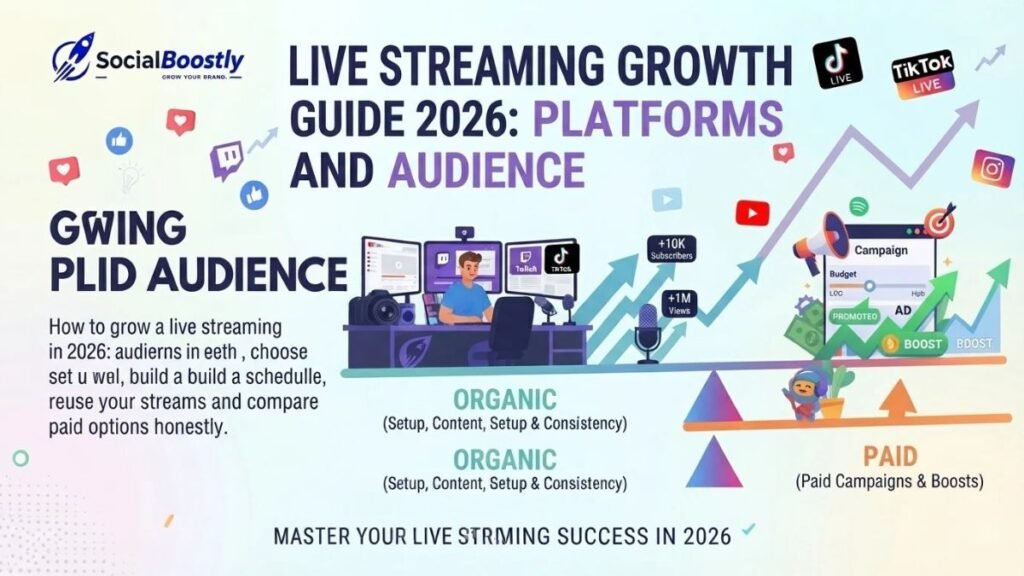
To grow a live streaming audience in 2026, pick one platform that fits your content, get your audio and connection right, go live on a fixed schedule, and turn every stream into clips and replays that bring new viewers to the next one. Live viewers can be bought, but they can’t be made to care.
Live streaming has a strange growth curve. Every other kind of content can be found long after you publish it. A live stream only exists while you’re on air, so the entire audience has to show up at the same moment. That makes it harder to start, and it also makes it one of the best ways to build a loyal community, because people who watch live tend to talk to each other and to you.
This guide is the strategy layer. It explains how to choose a platform, what a good setup looks like, how to build a schedule people can plan around, how to reuse each stream, and where paid options fit. For the step-by-step checklist of what to do before, during and after each stream, we’ll point you to our guide on how to get more views and live viewers. We also sell live viewer services, so you’ll get our honest view of what those can and can’t do. You’ll finish with a 30-day plan you can start this week.
What does “growing a live audience” actually mean?
Streamers say “growth” and usually mean a bigger number on screen. But several different numbers sit behind that, and they don’t always move together:
- Peak concurrent viewers: the most people watching at the same moment. One spike can inflate it.
- Average concurrent viewers: the typical number watching across the stream. This is the better health check. Our explainer on live views vs concurrent viewers shows how the two differ.
- Watch time: how long people stay.
- Chat activity: how many people talk and how often.
- Replay and clip views: how many people watch after the stream ends.
- Return rate: how many people come back for the next stream.
- Outcomes: subscriptions, donations, sales, sign-ups or attendance.
A stream with 40 people who chat, stay and return next week is in a stronger position than one with a peak of 400 that vanished in ten minutes. Decide which number you care about before you spend time or money.
Step 1: Choose the right platform
Before you grow anything, make sure you’re growing in the right place. Each major platform rewards a different kind of live stream.
| Platform | Best for | Where viewers come from | Watch out for |
|---|---|---|---|
| YouTube Live | Tutorials, talks, interviews, events and anything people might search for later | Your subscribers, search, suggested videos and replays | The replay keeps earning views, so titles and thumbnails matter |
| Facebook Live | Communities, local businesses, groups, faith communities and events | Your Page followers, groups, friends and shares | Reach depends on how active your Page and groups already are |
| Twitch | Gaming, creative work and live-first communities with regular chat | Category browsing, raids, search and your own community | The directory sorts by viewer count, so small channels start buried |
| Instagram Live and TikTok Live | Short, casual streams for people who already follow you | Your existing followers and their notifications | Mostly reaches the audience you already have |
Our advice for most people: choose the platform where your audience already is, and start there. If you’re not sure, ask your regular followers where they’d rather watch. For platform-specific growth habits, see our YouTube growth guide, Facebook growth guide and Twitch growth guide. If you’re streaming for a faith community, our post on growing a church live stream audience covers that situation in detail.
Should you stream on more than one platform?
Multistreaming sends one broadcast to several platforms at once. It can widen reach, but it also splits your chat across platforms, makes interaction harder and can run into program terms on some platforms. A good rule is to master one platform first, then add a second when your routine feels easy. Check each platform’s current rules before you simulcast.
Step 2: Get the setup right (audio first)
Viewers will forgive a modest camera. They won’t forgive bad sound, and they won’t wait around for a stream that keeps freezing. Here’s a simple order of priorities:
| Priority | What to fix | Why it matters |
|---|---|---|
| 1 | Audio: a decent microphone, a quiet room, balanced levels | People leave a stream with echo, hiss or low volume within seconds |
| 2 | Connection: a wired internet connection if you can, a backup plan if you can’t | Buffering and drop-outs kill a live audience |
| 3 | Lighting: a soft light facing you | Better than buying a more expensive camera |
| 4 | Camera and framing | A modern phone or webcam is enough to start |
| 5 | Software and scenes | Free tools such as OBS Studio are enough. Keep scenes simple |
| 6 | Overlays and extras | The last thing to improve. They don’t bring viewers on their own |
Before every stream, run a quick test: check your sound, your lighting, your internet and your title. Keep a one-page checklist so you never skip it. Each platform publishes recommended encoder settings, so use those rather than guessing.
Step 3: Pick a format worth showing up for
People don’t tune in to “a live stream.” They tune in for a reason. Choose a format with a clear promise:
- Q and A or office hours: you answer questions in real time.
- Tutorials and workshops: viewers learn something and can ask as they go.
- Interviews and panels: guests bring their own audiences.
- Launches and events: a reveal, a sale, a performance or an announcement.
- Live-first series: a weekly show with a recognizable shape.
- Gameplay and creative sessions: viewers hang out while you play, draw, cook or build.
Give each stream a simple structure: a strong opening that says what the stream is about, two or three segments, a moment to invite people to follow, and a clear close that announces the next stream. A predictable shape helps latecomers catch up and helps regulars know what to expect.
Step 4: Build a schedule people can plan around
A live stream is an appointment. If people can’t predict when you’ll be on, they can’t show up. Choose fixed days and times, hold them for several weeks and put them everywhere: your profile, your banner, your offline screen and your announcements. Think about your audience’s time zone, not just yours, and test one or two slots before settling.
Three consistent streams a week beat six rushed ones. If you can only manage once a week, make it the same time every week. Consistency does more for a small audience than volume.
Step 5: Turn every stream into a growth loop
A single stream reaches the people who happen to be online. A loop keeps feeding itself:
- Announce. Tell people days ahead, using scheduled events or waiting rooms where the platform offers them. For ideas, see our guide on how to promote a live event on YouTube or Facebook.
- Go live. Open with a reason to stay and keep chat active.
- Save the replay. Keep it public, with a clear title and thumbnail, so it keeps collecting views.
- Cut highlights. Pull two or three minutes that make sense without context.
- Share clips where your audience already is. Short-form platforms and your other social accounts are the best advertising for your next stream.
- Follow up. Thank people, share the next date and keep the conversation going between streams.
Our Instagram growth guide and YouTube growth guide cover short-form video if you want to go deeper on clips.
Can you earn from live streaming?
Many streamers ask this early. Each platform has its own program and eligibility rules, and they change from time to time. We keep breakdowns for YouTube monetization requirements, Facebook monetization requirements and Twitch Affiliate requirements. The key point: earning depends on real viewers and real activity. A big number on screen with a silent chat doesn’t qualify you for anything and can make sponsors suspicious.
Paid options: what you can buy and what it does
“Paid” covers several different things. These four are the ones people actually use, and they behave very differently.
| Option | What you pay for | Best for | Main trade-off |
|---|---|---|---|
| Ads to promote a scheduled stream | Reach on YouTube, Meta or other platforms, billed by the platform | Filling an event, launch or special broadcast | Stops when the budget stops. Needs clear creative and a clear time |
| Sponsored collaborations and guests | A fee or an exchange with another creator | Borrowing an audience that already likes live content | Fit matters more than size. Disclose paid partnerships |
| Equipment and production | Better audio, lighting and software | Making every stream more enjoyable | Improves quality, but doesn’t bring viewers by itself |
| Live viewer and view services | A fixed price per 1,000 viewers or views, often by duration | Raising a visible number for a set period | Doesn’t add real viewers or chat, and goes against platform rules |
That last row deserves a straight answer, since it’s what we sell.
Where live viewer and view services fit (and where they don’t)
YouTube prohibits artificially increasing metrics and warns that a promoter you hire can affect your channel. Meta says it acts against fake engagement on Facebook, and Twitch has its own rules against artificial viewership. Live viewer counts are among the numbers platforms watch most closely. We won’t tell you any order is risk-free. If you’re weighing it, read what to check before you buy social media followers.
There are practical limits too. A live viewer order adds a visible number for a chosen duration, but it doesn’t add chat messages, followers, sales or lasting reach, and our service pages say so. Delivery starts after payment confirmation, which is separate from how long the viewers stay, so a short stream or a tight opening window may not line up. A view order is a different product from a concurrent viewer order, so check which one you’re buying. Our comparison of buying YouTube live stream views vs viewers explains the difference.
If you’re considering it, treat it as a small supplement to real promotion and a good stream, not a replacement for either, and don’t use bought numbers to mislead sponsors or collaborators. Twitch is the platform where we’d urge the most caution.
Here are the starting prices on our live service pages. Live viewer prices depend on how long the viewers stay, so check the order page for your exact total:
| Service | Starting price | Minimum order | Page |
|---|---|---|---|
| YouTube Live Stream Viewers | From $12.00 per 1,000 | 100 | YouTube Live Stream Viewers |
| YouTube Live Stream Views | $4.00 per 1,000 | 100 | YouTube Live Stream Views |
| Facebook Live Stream Viewers | From $12.00 per 1,000 | 100 | Facebook Live Stream Viewers |
| Twitch Live Viewers | From $16.00 per 1,000 | 50 | Twitch Live Viewers |
For the full price breakdown by duration, see how much live stream viewers cost, and our social media services price list compares every platform side by side.
Organic vs paid: a side-by-side view
| Organic | Ads and collabs | Count-boosting services | |
|---|---|---|---|
| Upfront cost | Time only | Budget or fees | Small, priced per 1,000 and by duration |
| Speed | Slow at first | Fast while spending | Visible number rises for the chosen duration |
| Audience quality | Highest | Depends on targeting | Not a real audience signal |
| Effect on chat and return rate | Direct | Depends on audience fit | None on its own |
| Platform-rule risk | None | Low if you follow the rules | Higher. Against platform rules |
| Lasts after the stream | Yes | Mostly no | No. It’s tied to the stream |
Organic work compounds. Ads rent attention. Count-boosting changes a number for a short time. Most streamers who grow steadily lean on the first, borrow from the second when they have a special broadcast worth filling, and think very carefully before touching the third.
A simple 30-day plan
You don’t need a complicated system. You need a small one you’ll actually follow.
Week 1: Decide and set up.
- Choose your platform and your format.
- Write one sentence: “This stream gives ___ a ___ so they can ___.”
- Fix audio and internet first, then lighting.
- Pick your fixed days and times, and add them to your profile.
Week 2: Go live consistently.
- Stream two or three times on your fixed schedule.
- Open with the payoff and talk to chat from the first minute.
- Save each replay with a clear title and thumbnail.
Week 3: Start the loop.
- Cut two clips from your best moments and share them where your audience already is.
- Announce your next stream at least three days ahead.
- Invite one guest or collaborator.
Week 4: Review and decide.
- Compare your numbers (see below) with week 1.
- Keep the days, times and segments that worked and drop what didn’t.
- Decide whether paid support, such as ads for a special broadcast, makes sense.
How to measure whether it’s working
Don’t judge by peak viewers alone. Check your platform’s analytics once a week and compare against your own previous month, not someone else’s channel.
| Metric | Where to find it | What it tells you |
|---|---|---|
| Average concurrent viewers | Platform analytics, stream summary | Whether your typical audience is growing |
| Peak vs average | Stream summary | Whether people stay or just drop in |
| Average watch time | Platform analytics | Whether the stream holds attention |
| Chat messages and chatters | Stream summary or chat tools | Whether people take part |
| Replay and clip views | Platform analytics | Whether streams keep earning after they end |
| Return viewers | Analytics, where available | Whether you’re building regulars |
Labels differ by platform, so look for the closest match. Compare each number with your last ten streams. A rising trend matters more than any single result.
Common mistakes that slow growth
- Buying numbers before building the stream. A high count with a silent chat makes the gap more obvious.
- Skipping the audio test. Bad sound drives viewers away faster than anything.
- Streaming at random times. People can’t show up for a stream they can’t predict.
- Spreading across too many platforms too soon. Splitting chat makes every stream feel quieter.
- Deleting or hiding replays. Replays are where the long tail of views comes from.
- Forgetting to announce the next stream. Every stream should end with the next date.
- Judging by one spike. Look at averages, not peaks.
Frequently asked questions
Which platform is best for live streaming?
The one where your audience already is. YouTube suits searchable, replay-friendly content, Facebook suits communities and local audiences, and Twitch suits live-first communities. Start with one and add others when your routine is stable.
How often should I go live?
Start with one to three streams a week at the same time. Consistency matters more than volume, and you can add more once the routine feels easy.
Should I stream on more than one platform?
Master one first. Streaming everywhere at once splits your chat and your attention. Add a second platform when you can handle interaction on both.
How long does it take to grow a live audience?
There’s no fixed timeline. Streamers who stay consistent and promote their streams often see a few regulars within a month or two, but results vary widely by topic, platform and effort. Treat the first 60 to 90 days as a testing period.
What is a good number of live viewers?
There’s no standard number. Compare your average viewers and chat activity with your own last ten streams, and aim for a steady or rising trend.
Is buying live stream viewers safe?
No order can be called risk-free. It goes against platform rules, it only lasts for the duration of the order, and it doesn’t create chat, followers or sales. If you’re considering it, read what to check before you buy followers first, and review the details on the YouTube Live Stream Viewers service page.
Final thoughts
Growing a live audience isn’t a trick. It’s a habit: choose the right place, sound good, show up on schedule, give people a reason to stay and turn every stream into clips and replays that bring the next audience. Paid options can fill a room for a short time, but none of them replace the people who come back.
Start with the 30-day plan and review your numbers at the end. If a visible boost for a special broadcast fits your plan, you’ll find current pricing on our YouTube, Facebook and Twitch live pages, the full services list, or you can contact the team with questions before you order. Growing on other platforms too? Our Instagram, YouTube, Facebook, LinkedIn, Spotify, Telegram and Twitch guides cover the same organic-versus-paid trade-offs.
Results vary. Platform rules and terms apply.