

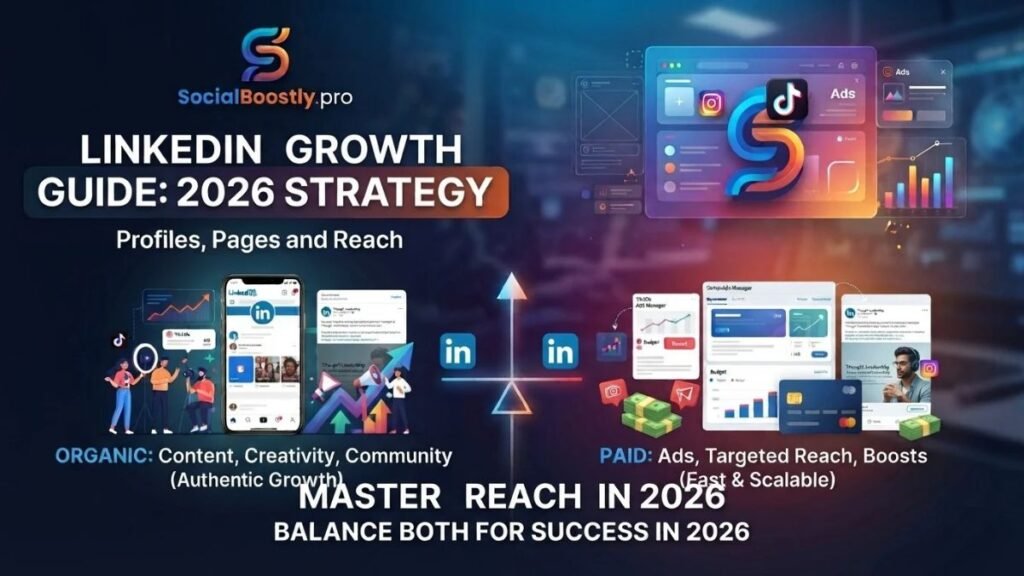
To grow on LinkedIn in 2026, build a profile that says who you help, post practical advice from real experience a few times a week, and join conversations in your field. People follow professionals who teach them something. Paid options can raise visible numbers, but they can’t create trust.
LinkedIn is a different animal from Instagram or TikTok. Nobody opens it to be entertained. They open it to learn something, find a job, hire someone, compare suppliers or see what a colleague is up to. That changes what “growth” looks like. A hundred of the right people reading your posts is worth more than ten thousand who don’t care.
This guide explains how the LinkedIn feed decides what to show, how to choose between a personal profile and a company page, the organic habits that work, and where paid options belong. We also sell LinkedIn services, so you’ll get our honest view of what those can and can’t do. You’ll finish with a 30-day plan you can start this week.
What does “growing on LinkedIn” actually mean?
People say “growth” and usually mean followers. But several different numbers sit behind that word, and they don’t always move together:
- Impressions: how many times your posts were shown.
- Engagement: reactions, comments, reposts and saves.
- Profile views: people who got curious enough to look you up.
- Followers and connections: people who chose to stay in touch.
- Outcomes: conversations, enquiries, interviews, partnerships or customers.
A freelance accountant with 1,800 followers who gets two client enquiries a month from LinkedIn is growing faster than a consultant with 40,000 followers and no replies. Decide which number you care about before you spend time or money. Followers are a result of being useful, not a lever you pull on its own.
Personal profile or company page?
Most people ask this early, so let’s settle it.
| Personal profile | Company page | |
|---|---|---|
| Reach | Usually higher. People engage with people | Usually lower. Pages rely on followers and employee sharing |
| Voice | Personal, with real experience and opinions | Official, with news, jobs and brand updates |
| Best for | Founders, freelancers, consultants, recruiters, job seekers | Businesses that want a home for jobs, products and announcements |
| Relationships | Connections and followers | Followers only |
| Growth lever | Your posts and comments | Employee advocacy, invitations, and the profiles behind the brand |
Our advice: grow the people first and let them lift the page. A company page with an active team behind it gets further than a page posting alone. For the full list of follower tactics for both, see our guide to how to get more LinkedIn followers and connections.
How LinkedIn decides what to show people
LinkedIn doesn’t publish a formula, and its feed changes often. What the company has said publicly is that it wants the feed to surface content that helps people with their work and careers, such as practical knowledge and advice, and it tests posts with a smaller audience before showing them more widely. A few signals come up again and again:
- Relevance. Does the post match the viewer’s industry, role and interests?
- Early reaction. Meaningful comments and reactions soon after posting suggest the post is worth showing to more people.
- Time spent. Whether people stop to read, open a document or watch a video.
- Relationship. Posts from people someone already interacts with get priority.
- Quality and originality. Original posts that help the reader tend to beat generic or recycled ones.
Notice what that means. A comment that adds something carries more weight than a quick like, and a post that people actually read carries more weight than one they scroll past. If you’re curious how comments compare with likes as a signal, see LinkedIn comments vs likes.
The takeaway is simple. Be specific, be useful, and show up in conversations. Everything below is a way of doing that.
Organic growth: what actually moves the needle
Organic growth is slower to start and cheaper to run, and it’s the only route that builds an audience that trusts you. Here’s where we’d put the effort, roughly in order.
1. Make your profile answer “why follow you?”
Your profile is where every post, comment and message ends up. Treat it as a landing page.
- Headline: say who you help and how, not just your job title. “Accountant” is vague. “Accountant for freelancers who hate tax season” is specific.
- Photo and banner: a clear, recent photo and a banner that reinforces what you do.
- About section: write it as if talking to one person. What problem do you solve, for whom, and what can they do next?
- Featured section: pin your best post, a case study, a guide or a booking link.
- Custom URL: claim a clean address so it’s easy to share.
2. Pick two or three topics and own them
Decide what you want to be known for. A recruiter might post about interviewing, salary conversations and hiring mistakes. A SaaS founder might share product lessons, customer stories and pricing decisions. Repeating a few topics helps people understand why they should follow you and helps LinkedIn show your posts to the right readers.
3. Write from real experience
The posts that travel on LinkedIn are usually specific: a mistake you made, a lesson from a client, a checklist you use, a number you tracked. Generic motivational posts and recycled advice blend into the feed. If you have a real story and a practical takeaway, you already have a better post than most.
4. Make the first two lines count
LinkedIn shows only the first few lines before the “see more” cut. Use them to state the point, ask a sharp question or promise something concrete. Then deliver. Keep paragraphs short, use white space, and end with a question that people in your field can answer from experience.
5. Use the formats your audience actually reads
| Format | Works well for |
|---|---|
| Text posts | Opinions, lessons and short stories |
| Document or carousel posts | Checklists, frameworks and step-by-step guides that people save |
| Images and charts | Data, before-and-after results and simple explainers |
| Short video | Demos, quick tips and personality |
| Newsletters | Regular, longer pieces for people who want updates |
Don’t assume one format always wins. Test a few and let your analytics decide.
6. Comment before and after you post
Thoughtful comments on posts in your field are one of the fastest ways to be seen by people who don’t know you yet. Add a point of view, a question or a short example instead of “great post.” Then reply to everyone who comments on your own posts. Conversation is what keeps a post moving.
7. Be careful with outreach
Send connection requests to people you have a reason to know: clients, peers, event contacts, people whose work you’ve engaged with. Add a short, human note. Avoid copy-paste pitches the moment someone accepts. LinkedIn also prohibits automation tools that scrape or send requests on your behalf, so skip them. See LinkedIn’s own page on prohibited software and extensions.
8. Turn your team into your reach
For businesses, employees are the best distribution you have. Ask team members to follow the company page, share updates that matter to them, and post about projects they genuinely worked on. Never script their posts or ask for fake comments. Real voices are what make this work.
9. Invite people the official way
Company page admins can invite eligible connections to follow the page. LinkedIn sets limits on invitations, so use them on people who’d actually care. See LinkedIn’s help page on inviting people to follow a Page.
10. Pick a rhythm you can keep
Two or three good posts a week that you can keep up for six months beats daily posting that burns you out by week three. Choose a schedule, treat it as a promise, and review it every month. If you’re starting from zero, our guide to growing a new social account from 0 to 1,000 followers organically goes deeper.
Paid options: what you can buy and what it does
“Paid” covers several different things. These four are the ones people actually use, and they behave very differently.
| Option | What you pay for | Best for | Main trade-off |
|---|---|---|---|
| LinkedIn Ads (Campaign Manager) | Reach or actions, billed by LinkedIn. Targeting by job title, industry and company size | B2B lead generation, hiring, events and promoting posts that already work | Costs are often higher than other platforms. Weak creative wastes money fast |
| Sponsored collaborations and thought-leader ads | Paying or partnering with an expert to promote content | Borrowing trust from a person your audience follows | Fit matters more than size. Disclose paid partnerships |
| Newsletter and event promotion | Time, email lists or small ad budgets | Growing a recurring audience | Needs a consistent publishing habit |
| Follower, connection and engagement services | A fixed price per 1,000 followers, connections, likes or similar | Raising a visible count on a new or empty profile | Doesn’t add real professionals, can drop over time, and goes against LinkedIn’s rules |
That last row deserves a straight answer, since it’s what we sell.
Where follower and engagement services fit (and where they don’t)
LinkedIn’s rules prohibit fake engagement and tools or services that manipulate activity on its platform, and LinkedIn is probably the platform where a padded count is easiest for people to spot. That’s the platform’s rule, not our opinion, and it’s why we won’t tell you any order is risk-free. If you’re weighing it, read what to check before you buy social media followers.
What these services can do is change a visible number. For a brand-new profile or page, a higher count can make it feel less empty to a first-time visitor. We look at that question in does follower count really matter. One more fact to keep in mind: LinkedIn shows connection counts only up to “500+,” so buying connections beyond that point doesn’t change what visitors see.
What these services can’t do is make a recruiter reply, a buyer book a call or a stranger trust you. They don’t change how the LinkedIn feed ranks your posts, and an audience that doesn’t match your industry won’t convert into enquiries. They’re no substitute for the work above. If you’re considering it, the order matters: get your profile and first posts in decent shape first, then decide whether a count boost makes sense for your situation.
Here are the rates listed on our LinkedIn service pages, as of November 20, 2026:
| Service | Price | Minimum order | Page |
|---|---|---|---|
| LinkedIn Followers | $18.00 per 1,000 | 100 | LinkedIn Followers |
| LinkedIn Connections | $22.00 per 1,000 | 100 | LinkedIn Connections |
| LinkedIn Post Likes | $8.00 per 1,000 | 50 | LinkedIn Post Likes |
| LinkedIn Post Views | $3.00 per 1,000 | 100 | LinkedIn Post Views |
| LinkedIn Comments | $32.00 per 1,000 | 10 | LinkedIn Comments |
To see how it adds up, 1,000 followers at $18 per 1,000 is $18, and 10,000 post views at $3 per 1,000 is $30. Our social media services price list compares every platform side by side.
Organic vs paid: a side-by-side view
| Organic | Ads and collabs | Count-boosting services | |
|---|---|---|---|
| Upfront cost | Time only | Budget or fees | Small, priced per 1,000 |
| Speed | Slow at first | Fast while spending | Visible count rises over the delivery period |
| Audience quality | Highest | Depends on targeting | Not a real audience signal |
| Effect on LinkedIn reach | Direct | Direct while running | None on its own |
| Platform-rule risk | None | Low if you follow ad rules | Higher. Against LinkedIn’s rules |
| Lasts after you stop | Yes | Mostly no | May drop over time |
Organic work compounds. Ads rent attention. Count-boosting changes a number. Most professionals who grow steadily lean on the first, borrow from the second when they have something worth promoting, and think carefully before touching the third.
A simple 30-day plan
You don’t need a complicated system. You need a small one you’ll actually follow.
Week 1: Set the foundation.
- Write your “I help ___ do ___” sentence.
- Update your headline, About section, banner and Featured section.
- Pick your two or three topics.
- Follow 30 to 50 people in your field and save five posts that got strong comments.
Week 2: Publish and join conversations.
- Post twice: one story from your own experience, and one checklist or practical tip.
- Leave five thoughtful comments a day on relevant posts.
- Reply to every comment on your own posts.
Week 3: Add a second format and a bit of outreach.
- Post once as a document or carousel.
- Send 10 personalized connection requests to people you have a real reason to know.
- Ask two colleagues to engage honestly with posts they find useful.
Week 4: Review and decide.
- Compare your numbers (see below) with week 1.
- Keep the two post types that worked and drop the one that didn’t.
- Decide if paid support makes sense. If a post is already performing, promoting it is usually a better use of money than promoting something untested.
How to measure whether it’s working
Don’t judge by follower count alone. Open your analytics once a week and compare against your own previous month, not someone else’s profile. For company pages, LinkedIn’s help page on Page analytics explains what’s available.
| Metric | How to read it | What it tells you |
|---|---|---|
| Post impressions | Views on each post | Whether posts are being shown |
| Engagement rate | (Reactions + comments + reposts) ÷ impressions | Whether people react when they see you |
| Comments per post | Count on each post | Whether you start conversations |
| Profile views | Analytics overview | Whether posts and comments make people curious |
| Follower growth and demographics | Net new followers and who they are | Whether the right audience is following |
| Messages and enquiries | Inbox and email | Whether attention turns into business |
Available analytics vary by account type, so check what yours shows. Compare each number with your last ten posts. A rising trend matters more than any single result.
Common mistakes that slow growth
- Buying numbers before building content. A high count on a profile with nothing worth reading makes the gap more obvious.
- Posting generic advice. If the post could have come from anyone, it won’t stand out.
- Pitching in the first message. Build a relationship first.
- Using automation tools. They can put your account at risk.
- Ignoring comments. If you never reply, people stop writing.
- Chasing viral posts instead of the right audience. A post that reaches the wrong people doesn’t help your business.
- Changing the plan every week. Give a post type at least a few weeks before you judge it.
Frequently asked questions
How long does it take to grow on LinkedIn?
There’s no fixed timeline. Many professionals who post consistently and join conversations see early traction within a couple of months, but results vary widely by industry and starting network. Treat the first 60 days as a testing period.
How often should I post on LinkedIn?
Start with two or three quality posts a week and adjust to what you can keep up. Quality and consistency beat volume.
Why is my LinkedIn reach low?
Common causes include an unclear profile, generic posts, no early engagement, topics that change every week and links to outside sites in every post. Test one change at a time and compare against your own last ten posts.
Should I use a personal profile or a company page?
Both, if you have a business. Grow the personal profiles of the people behind it, and use the company page as the official home for jobs, products and news.
Is buying LinkedIn followers safe?
No order can be called risk-free. It goes against LinkedIn’s rules, the numbers can drop, and it doesn’t create real professional relationships or improve how your posts are shown. If you’re considering it, read what to check before you buy followers first, and review the details on the LinkedIn Followers service page.
Do LinkedIn connections matter?
They matter for networking, because connections can message you and see more of your updates. But LinkedIn shows counts only up to 500+, so what matters most is whether the people in your network are relevant.
Final thoughts
Growing on LinkedIn isn’t a trick. It’s a loop: share something useful from real experience, join the conversations around it, and learn from what people respond to. Paid options can speed parts of that loop up, but none of them replace it.
Start with the 30-day plan and review your numbers at the end. If a visible boost or extra views fit your plan, you’ll find exact per-1,000 pricing on our LinkedIn services page, the full services list, or you can contact the team with questions before you order. Growing on other platforms too? Our Instagram growth guide, YouTube growth guide and Facebook growth guide cover the same organic-versus-paid trade-offs.
Results vary. Platform rules and terms apply.