

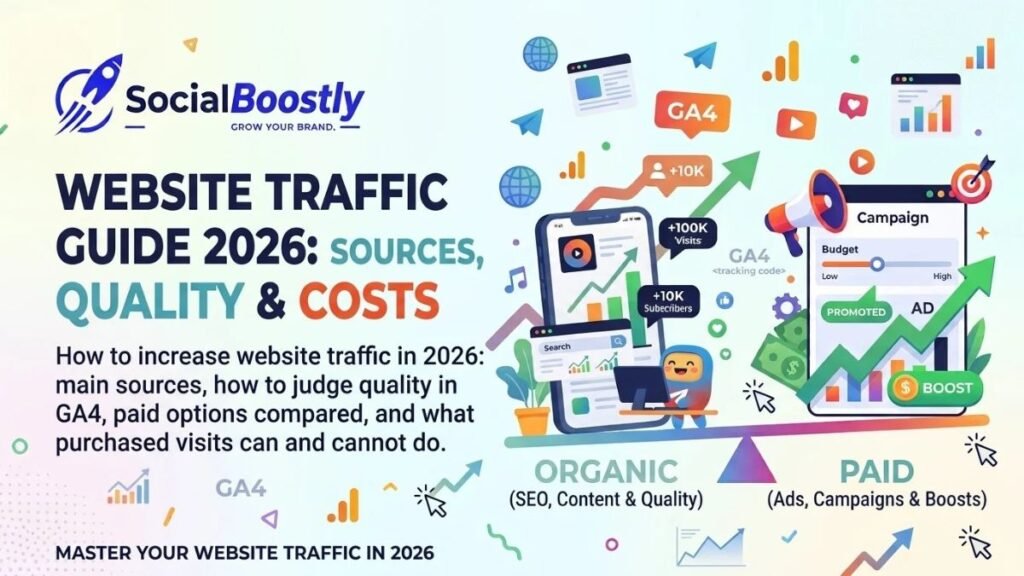
To increase website traffic in 2026, publish pages that answer real questions, make sure search engines can find and understand them, send your existing audience to them through email and social channels, and use paid ads when you have a page worth promoting. Purchased visits can raise a number, but they don’t create customers.
Every website owner eventually asks the same question: where are the visitors? You publish a page, wait, and check your analytics to find a handful of visits, half of them from your own phone. It’s discouraging, and it’s also normal. A new website starts with no reputation, no links and no audience, and traffic is what accumulates once those things exist.
This guide explains where traffic comes from, how to earn it, how to tell whether it’s any good, and where paid and purchased options fit. We also sell website traffic services, so you’ll get our honest view of what those can and can’t do. You’ll finish with a 30-day plan you can start this week.
What does “website traffic” actually mean?
People say “traffic” and usually mean a visit count. But several different numbers sit behind that word, and they don’t always move together:
- Users and sessions: how many people visited, and how many separate visits they made.
- Page views: how many pages were opened in total.
- Engaged sessions: visits where people actually did something, such as stayed for a while, viewed more than one page or completed an action. In Google Analytics 4, a session counts as engaged by default if it lasts at least 10 seconds, includes a key event or includes at least two page views.
- Key events: the actions that matter to you, such as a purchase, a form submission, a booking or a call. Google Analytics 4 now uses this term for what it used to call conversions.
- Traffic quality: whether the visitors match your audience and behave like people who are interested.
A dental clinic with 400 monthly visitors who book 25 appointments is doing better than a blog with 40,000 visitors and no sign-ups. Decide which number you care about before you spend time or money. Visits are a means, not the goal.
Where website traffic comes from
Google Analytics groups visits into channels. Knowing them helps you decide where to put your effort.
| Channel | What it means | Speed | Cost | How much you control |
|---|---|---|---|---|
| Organic search | People find you through a search engine result | Slow, then compounding | Mostly time | Medium. You control the pages, not the rankings |
| Direct | People type your address or use a bookmark | Slow | Mostly time | Low. It follows brand awareness |
| Referral | Another website links to you | Slow to medium | Time or partnerships | Medium. You earn it |
| Organic social | People click from a social post or profile | Fast to medium | Time | High. You control the posts |
| People click from a message to your list | Fast | Low | High, once you have a list | |
| Paid search and paid social | People click an ad | Fast | Ad budget | High, while you pay |
The channels are linked. Good content earns search visits, links and social shares. Email and social bring people back. Paid ads speed things up when you have something worth promoting. A website that relies on only one channel is fragile.
Organic growth: what actually moves the needle
Organic traffic is slower to start and cheaper to run, and it’s the only kind that keeps arriving after you stop paying. Here’s where we’d put the effort, roughly in order.
1. Start with who and what
Before you write anything, finish this sentence: “This site helps ___ who want ___.” A dental clinic helping local families book check-ups. An online shop helping gardeners find the right tools. A SaaS tool helping small teams track invoices. The narrower the promise, the easier it is to choose pages that bring the right visitors rather than just more visitors.
2. Build pages around real questions
Search traffic comes from people asking something. Find those questions with Google Search Console (once you have data), search suggestions, the People Also Ask box, customer emails and sales calls. Then write one page per question or topic, in the words people use. A page that answers a question clearly will often outperform ten pages stuffed with keywords.
3. Write for the reader first
Search engines say they reward helpful, reliable, people-first content. In practice that means real experience, specific examples, accurate facts with sources, clear structure, and an answer near the top. Add a named author, a last-updated date and honest limits (“this depends on…”). Avoid padding, copied text and pages that exist only to catch searches.
4. Get the technical basics right
You don’t need to be an engineer, but a few basics matter:
- Make pages fast and mobile-friendly. Compress images, avoid heavy scripts and test on a phone.
- Let search engines crawl you. Submit an XML sitemap in Google Search Console and Bing Webmaster Tools, and make sure important pages aren’t blocked.
- Use clear titles and descriptions. Each page needs a unique title and a short summary that earns the click.
- Fix broken links and duplicate pages. Redirect old addresses to the right new ones.
- Use structured data where it fits, such as FAQ and article markup, and check it in Google’s Rich Results Test.
5. Link your own pages together
Internal links help visitors and search engines find related pages. Choose one main page per topic, link supporting pages to it, and link back to supporting pages from the main one. Use descriptive link text rather than “click here.” Our guide to growing a social account organically is built the same way.
6. Earn links and mentions
Other sites linking to yours is one of the signals search engines weigh. Earn them honestly: publish original data or a useful tool, contribute expert comments, partner with related businesses, get listed in relevant directories and be a source journalists can quote. Paid link schemes can bring penalties, so skip them.
7. Build an email list
Email is the most reliable channel you own. Offer something useful for an address, such as a checklist, a template or a short course, and send new content to subscribers. People who come back from email also help your direct traffic grow.
8. Use social and video as distribution
Social posts and short videos rarely produce lasting search rankings, but they send visitors fast and help people find your brand. Pick one or two platforms where your audience is, share each new page there, and link back to it. Our guides to growing on Instagram, YouTube, Facebook and LinkedIn cover each platform in detail.
9. Don’t forget local
If you serve a specific area, set up and keep your Google Business Profile up to date, collect honest reviews and make sure your name, address and phone number match across the web. For local businesses this often brings more qualified visitors than any amount of general traffic.
10. Make the visit count
Traffic only matters if people can do something. Give each page one clear next step, make forms short, show proof such as reviews or examples, and keep the page easy to use on a phone. Doubling your conversion rate is as good as doubling your traffic, and often cheaper.
How long does it take?
Honestly, longer than most people hope. A new page can take days or weeks to be indexed and months to settle into its rankings, and competitive topics take longer still. Social, email and paid traffic can arrive within hours. A sensible plan mixes both: fast channels to get the first visitors and learn what resonates, and organic content to build the base that lasts.
Paid options: what you can buy and what it does
“Paid” covers several different things. These are the ones people actually use, and they behave very differently.
| Option | What you pay for | Best for | Main trade-off |
|---|---|---|---|
| Search ads (such as Google Ads and Microsoft Advertising) | Clicks from people searching for something specific | Capturing buyers who already know what they want | Competitive terms get expensive. Traffic stops when budget stops |
| Social ads (Meta, LinkedIn, TikTok and others) | Reach or clicks from audiences you define | Introducing a product, offer or piece of content | Needs strong creative and tracking |
| Sponsorships and newsletter placements | A fee to appear in someone else’s audience | Borrowing trust from a publisher your audience already reads | Fit matters more than size. Check real engagement first |
| Affiliates and partners | A commission when traffic converts | Paying only for results | Needs setup and honest tracking |
| Purchased traffic services | A fixed price per 1,000 visits or page views | Technical tests, and adding activity to a page | Doesn’t create customers, and may break ad network rules |
That last row deserves a straight answer, since it’s what we sell.
Where purchased traffic fits (and where it doesn’t)
A purchased traffic order sends a number of visits to a public web address. Our own service pages are clear about the limits: they don’t guarantee sales, leads or conversions, and purchased visits shouldn’t be treated as a search ranking shortcut. Search engines weigh many signals, and a block of visits that don’t read, click or buy isn’t one of them. The same pages don’t state where the visits come from or whether each one will appear in your analytics, so ask before you order if any of that matters.
There are practical risks too. Purchased visits can lift sessions while engagement and conversion rates fall, which makes your real audience harder to read. If your site earns from an advertising network or affiliate program, check its rules first. Ad networks generally prohibit artificially generated traffic, and breaking those rules can cost you the account. We won’t tell you any order is risk-free. If you’re weighing it, read what to check before you buy social media followers, which also applies to traffic providers.
So when does it make sense? Mainly for technical checks, such as seeing how a page or analytics setup behaves under a burst of visits, or when you want extra page activity as one small part of a launch and you understand it’s not real demand. If your goal is customers, spend that money on ads, content or a better landing page first. If you do run an order, keep it out of your organic reporting and don’t present it to partners or advertisers as real interest. For the three traffic types and how to read the results, see targeted vs worldwide vs country-specific website traffic.
Here are the rates listed on our website traffic pages, as of November 24, 2026:
| Service | Price | Minimum order | Page |
|---|---|---|---|
| Website Page Views | $1.80 per 1,000 | 1,000 | Website Page Views |
| Worldwide Website Traffic | $2.20 per 1,000 | 1,000 | Worldwide Website Traffic |
| Website Visitors | $3.00 per 1,000 | 1,000 | Website Visitors |
| Targeted Website Traffic | $5.00 per 1,000 | 1,000 | Targeted Website Traffic |
| Country-Specific Website Traffic | $6.00 per 1,000 | 1,000 | Country-Specific Website Traffic |
To see how it adds up, 10,000 worldwide visits at $2.20 per 1,000 is $22, and 10,000 targeted visits at $5.00 per 1,000 is $50. Our social media services price list compares every platform side by side, and all our website traffic options are on the website traffic services page.
Organic vs paid: a side-by-side view
| Organic | Ads and partnerships | Purchased traffic | |
|---|---|---|---|
| Upfront cost | Time and content | Ad budget or fees | Small, priced per 1,000 |
| Speed | Slow at first | Fast while spending | Visits arrive over the delivery period |
| Visitor quality | Highest | Depends on targeting | Not a real audience signal |
| Effect on conversions | Direct | Direct while running | None on its own |
| Effect on search rankings | Direct, over time | None directly | None to rely on |
| Platform-rule risk | None | Low if you follow ad rules | Higher. Can conflict with ad network rules |
| Lasts after you stop | Yes | Mostly no | No |
Organic work compounds. Ads rent attention. Purchased traffic adds a number for a short time. Most sites that grow steadily lean on the first, use the second when a page is ready to convert, and think carefully before touching the third.
How to judge traffic quality in GA4
A visit count tells you almost nothing without context. Here are the numbers to check, and where to find them in Google Analytics 4. Labels change over time, so look for the closest match.
| Metric | Where to find it | What it tells you |
|---|---|---|
| Sessions by channel | Reports, Acquisition, Traffic acquisition | Where visits come from |
| Engagement rate | Reports, Engagement or Acquisition | The share of sessions that were engaged. Low rates suggest a mismatch |
| Average engagement time | Reports, Engagement | Whether people spend time on your pages |
| Pages per session | Reports, Engagement | Whether visitors explore |
| Key events and key event rate | Reports, Engagement, Events | Whether visits lead to actions that matter |
| Country and city | Reports, User attributes | Whether visitors match where you operate |
| New vs returning users | Reports, Retention | Whether you’re building a repeat audience |
A few warning signs: a spike of visits with almost no engagement time, a country you never targeted, and traffic that arrives at odd hours in perfectly even bursts. Check the channel and the source before drawing conclusions, and compare against your own last 90 days.
A simple 30-day plan
You don’t need a complicated system. You need a small one you’ll actually follow.
Week 1: Set the foundation.
- Write your “This site helps ___ who want ___” sentence.
- Install Google Analytics 4 and set up Google Search Console and Bing Webmaster Tools.
- Set up two or three key events, such as form submissions, bookings or purchases.
- Submit your XML sitemap and fix any crawl errors.
Week 2: Publish and connect.
- List 10 real questions your customers ask.
- Publish two pages that answer them clearly, with a named author and a last-updated date.
- Link the new pages to your main pages and from your main pages to them.
Week 3: Distribute.
- Share each new page on one or two social channels.
- Send one email to your list, or start a simple sign-up offer.
- Reach out to two related sites for a partnership, a mention or a listing.
Week 4: Review and decide.
- Compare channels, engagement rate and key events with week 1.
- Keep the pages and channels that brought engaged visitors.
- Decide whether paid support makes sense. If a page already converts, promoting it with ads is usually a better use of money than promoting something untested.
Common mistakes that slow growth
- Chasing visits instead of key events. More traffic that does nothing is just a bigger number.
- Publishing without a plan for who it’s for. Broad content brings broad, low-value visitors.
- Ignoring the technical basics. Slow, blocked or duplicate pages hold everything back.
- Buying links. Paid link schemes can lead to penalties.
- Never checking engagement. A high count with low engagement is a warning.
- Mixing purchased and organic traffic in reports. It hides what’s really working.
- Giving up after a month. Organic growth takes time, so judge it over quarters, not weeks.
- Skipping the landing page. Traffic that arrives at a confusing page won’t convert.
Frequently asked questions
How long does it take to grow website traffic?
There’s no fixed timeline. Social, email and paid traffic can arrive within hours. Organic search often takes months to build, and competitive topics take longer. Treat the first 90 days as a testing period.
How do I get traffic to a new website?
Start with channels you control: email, social posts and direct outreach to people who already know you. At the same time, publish pages that answer real questions, submit your sitemap and build links honestly. Add paid ads once you have a page worth promoting.
Does website traffic affect SEO?
Search engines use many signals, and they haven’t said that raw visit counts are a ranking factor. Useful content, technical quality, relevance and links matter much more. Purchased visits shouldn’t be treated as a ranking shortcut.
What is a good bounce rate or engagement rate?
There’s no universal benchmark, because it depends on the page type and traffic source. Compare each page and channel against your own past results. In GA4, engagement rate is the share of sessions that were engaged, and bounce rate is the share that weren’t.
Is buying website traffic worth it?
For most goals, no. Purchased visits don’t create customers, can distort your analytics and may conflict with ad network rules. They can be useful for technical tests. If you’re considering an order, read our guide on targeted vs worldwide vs country-specific traffic first, and review the details on the website traffic services page.
How can I tell if my traffic is real?
Look at engagement time, pages per session, key events, countries and when visits arrive. Real audiences behave unevenly and spread across devices, countries and times. Even bursts of very short visits from a single source are a warning sign.
Final thoughts
Growing website traffic isn’t a trick. It’s a system: know who the site is for, answer their questions better than anyone else, make the pages easy to find and use, and bring people back through email and social. Paid options can speed parts of that up, but none of them replace pages worth visiting.
Start with the 30-day plan and review your numbers at the end. If a traffic test or extra activity fits your plan, you’ll find exact per-1,000 pricing on our website traffic services page, the full services list, or you can contact the team with questions before you order. Growing on other platforms too? Our Instagram, YouTube, Facebook, LinkedIn, Spotify, Telegram and Twitch guides cover the same organic-versus-paid trade-offs.
Results vary. Platform rules and terms apply.